

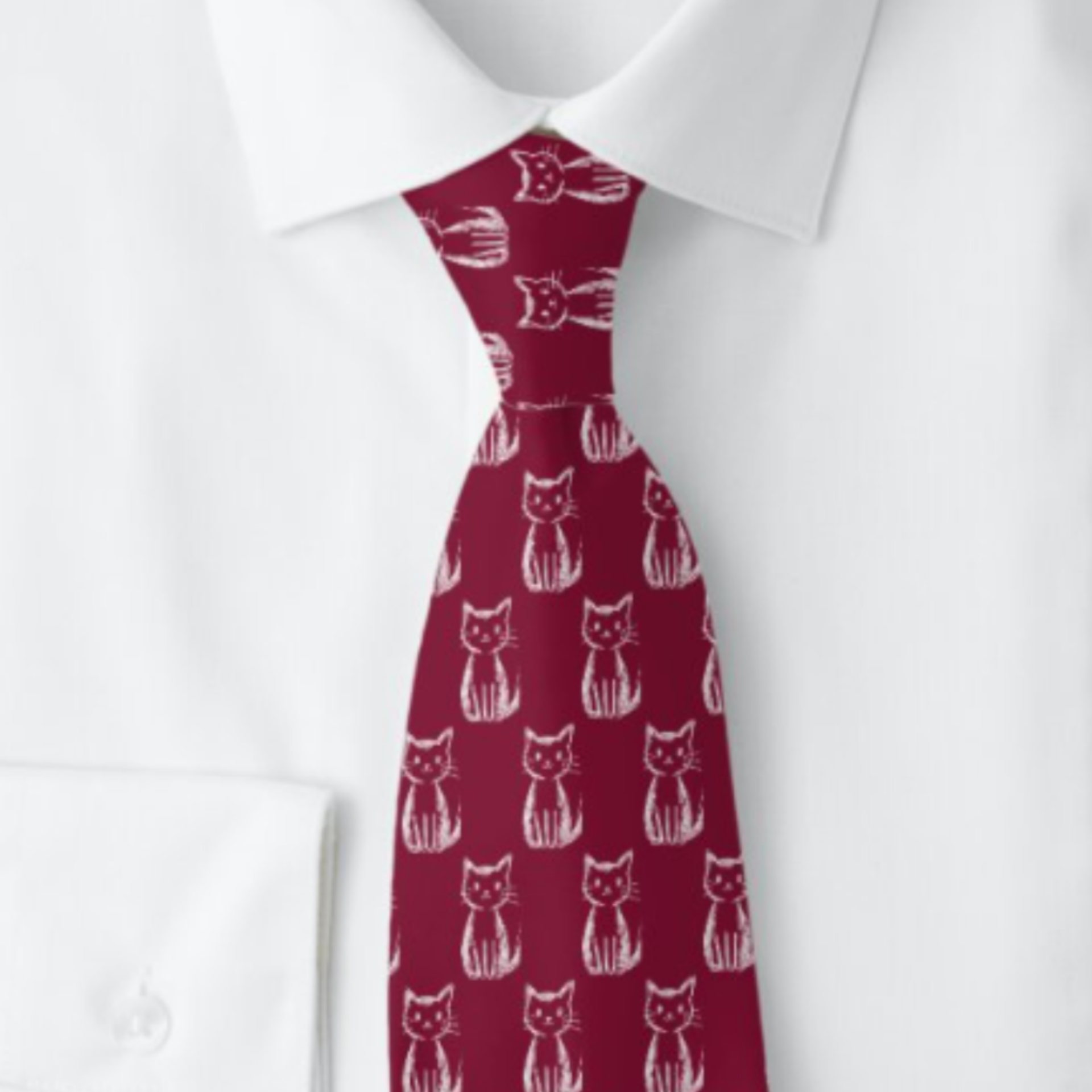
iDEA No. 1: Upload a child's drawing in PNG format.
Most of our personalized neckties start with a choice — pick a hobby, a profession, a sport, or even a flag. Create-A-Pattern skips those choices entirely. Upload any drawing, icon, illustration, or image, and Zazzle’s designer builds it into a repeating pattern across the full length of the tie. The result isn’t a tie with your image stamped on it once. It’s your image turned into a seamless, repeating design.
That’s the part people don’t expect the first time they try it: the upload is the entire process. There’s no template to match, no preset palette to work around. Whatever you give it becomes the design.
The range of what people upload is wide — a company logo, a sports team mark, a family crest, a religious or cultural symbol, a band logo, a military patch someone already owns. Almost anything works as a starting point. Three examples in particular tend to produce the kind of tie someone is excited to give as a gift, because the source material is something only they have.
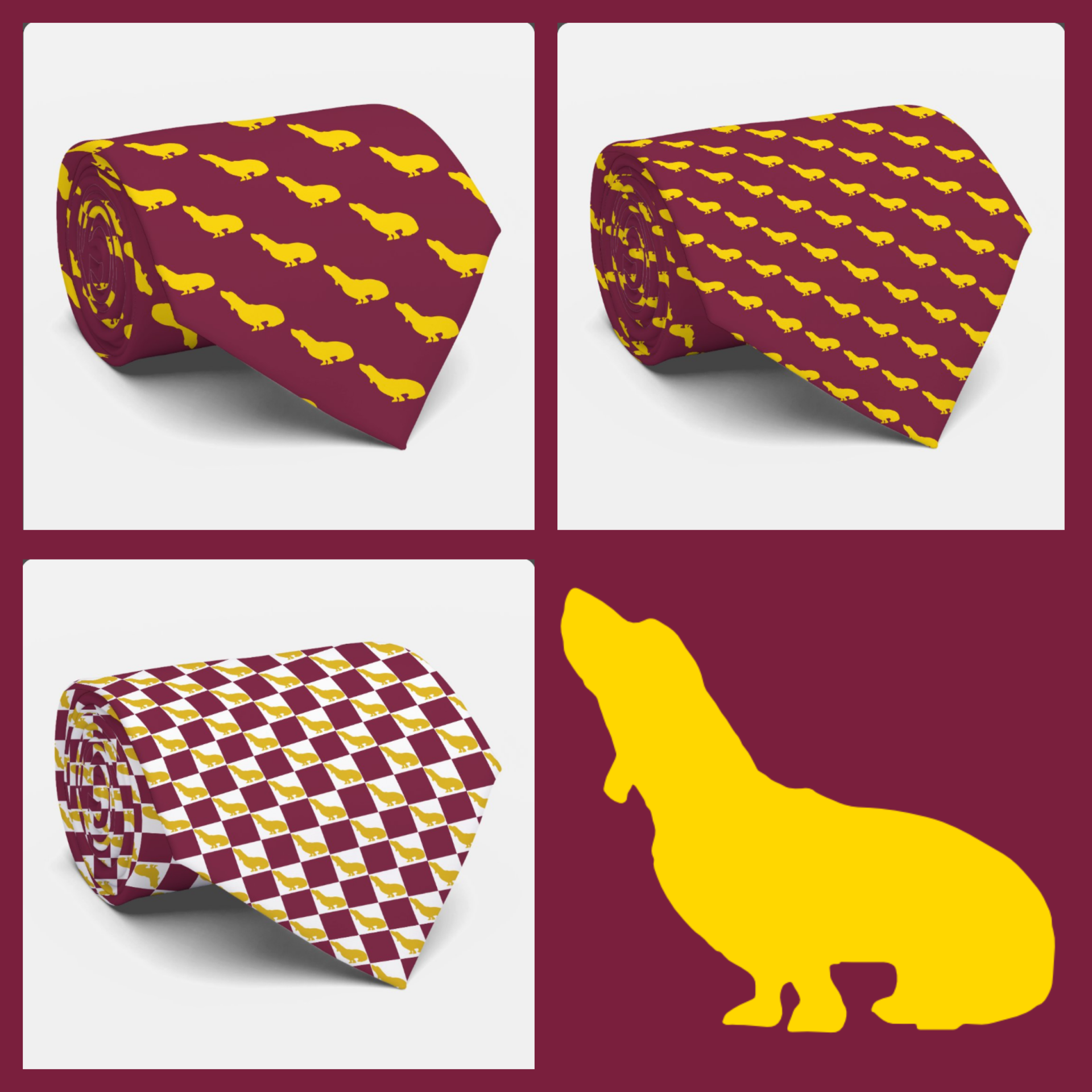
IDEA No. 2 :Pets. Basset hounds and other pets make great inspirations for personalizing a necktie. Upload a PNG file with a transparent background and you'll get a clean icon pattern. If you're looking for a checkerboard design, add a color background to your image. If you like, you can reduce the size of your pattern using Zazzle's Online Designer. Instructions are below.
Three Ideas Worth Trying
- A Child’s Drawing
A stick-figure family. A dinosaur. A cat. A lopsided sun with a smiling face. Kids produce this kind of artwork constantly and most of it ends up on a refrigerator for a few weeks before it disappears. Scan or photograph one drawing, upload it to a Create-A-Pattern necktie, and it becomes a gift a dad can actually wear — to the office, to a school event, to Father’s Day dinner. The drawing repeats small across the tie, so from a distance it reads as a playful, slightly irregular pattern. Up close, it’s unmistakably his kid’s handwriting and the dinosaur he drew on a Tuesday afternoon.
- A Pet Portrait or Silhouette
A clean photo or simple illustration of the family dog, cat, or horse translates surprisingly well into a repeating pattern — especially a silhouette, which tiles cleanly and reads clearly even at a small size. This is a strong option for the person who is, by any honest measure, more attached to their pet than to most people they know. It also works well as a memorial gift: a beloved pet who has passed, turned into something the owner can wear rather than just a photo on a shelf.
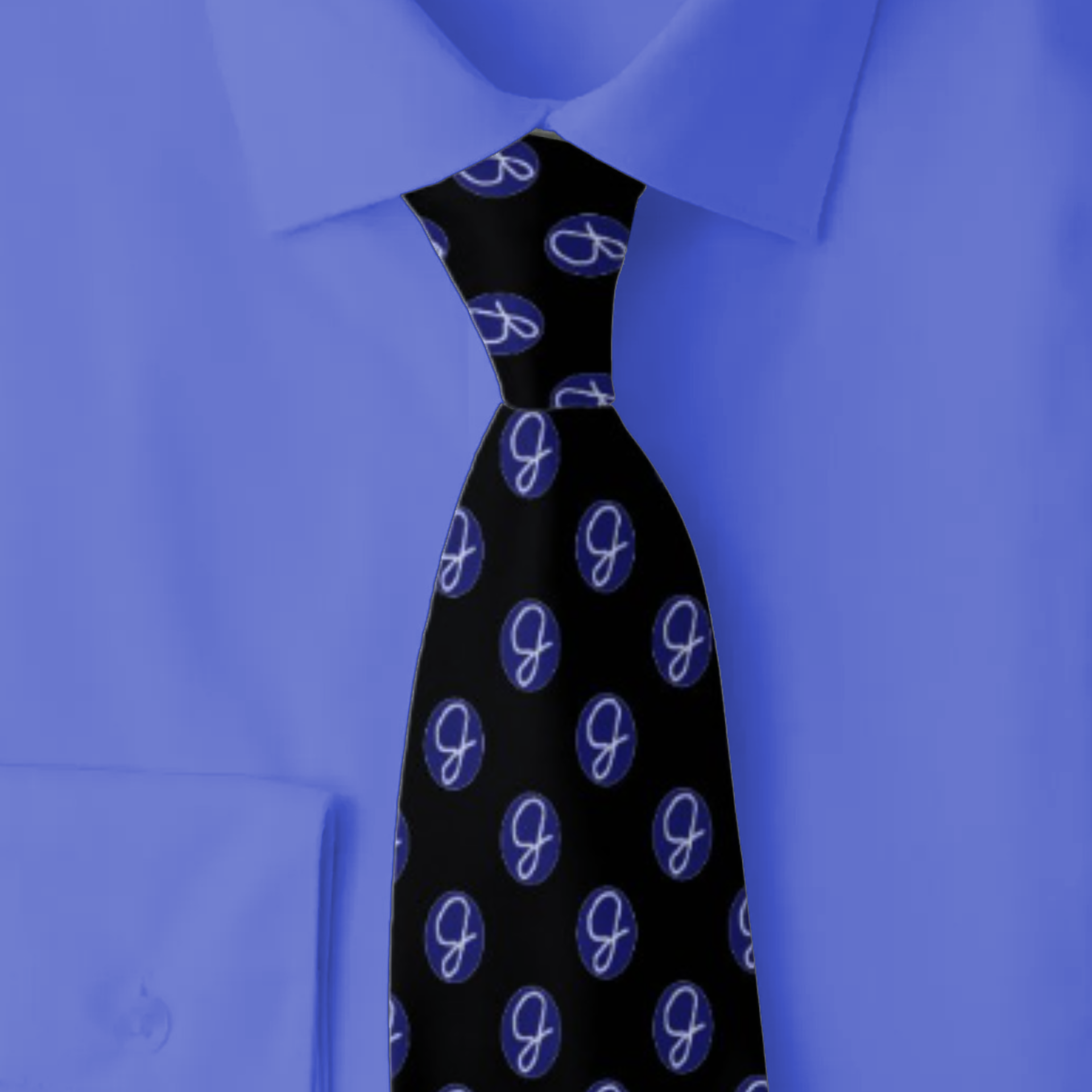
IDEA No. 3: Handwriting. A unique signature or initial, a pet name, or a funny piece of scrawling can become a personalized pattern.
- A Hand-Lettered Monogram or Signature
Most monogram ties use a clean, preset font. This is the alternative: an actual signature, or a monogram written by hand and photographed, uploaded as the pattern source. The result has texture a typed font can’t replicate — the slight slant, the pressure variation, the personality of someone’s actual handwriting repeated down the length of the tie. It’s a meaningful option for commemorating a specific person’s signature, including a parent or grandparent’s, on a keepsake tie.
How It Actually Works
Create-A-Pattern is actually four templates, not one — each built around a different image shape: vertical, horizontal, square or circular, and a fourth version built specifically for flag patterns.
The process starts with picking the template that matches the shape of whatever you’re uploading, then uploading the file itself. Browse the full Create-A-Pattern collection to see all four options and choose the one that fits your image.
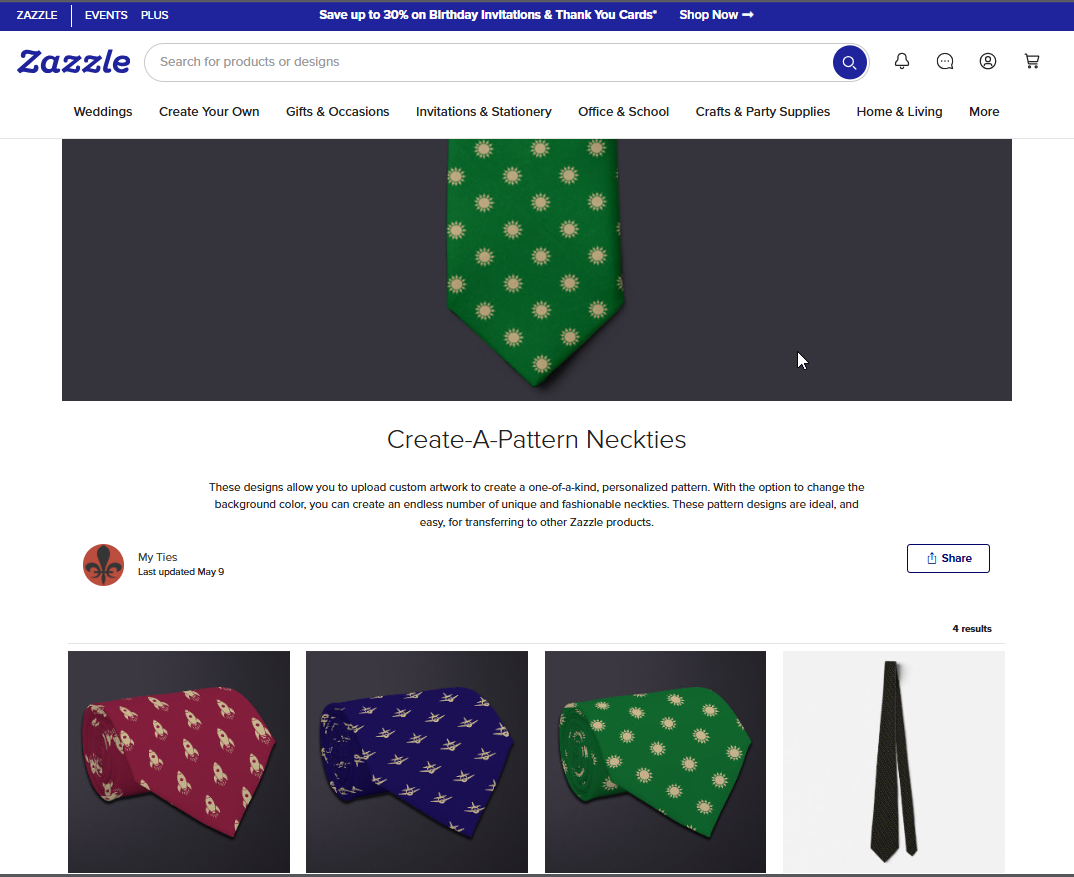
Choose the necktie pattern that will accommodate your art best: vertical, horizontal, or square or circular artwork can be accommodated. There's even a templated pattern design if you want to upload your own flag.
For best results, upload a PNG file with a transparent background. A transparent background lets the image tile cleanly against the necktie’s own background color, with nothing but your artwork repeating down the tie.
If your image has a solid background instead, the pattern will alternate that background color with the necktie’s background color, producing a checkerboard effect across the tie.
That’s not necessarily a flaw — depending on the color of your image’s background, a checkerboard pattern can look intentional and attractive — but it’s worth knowing in advance so the result isn’t a surprise.
One practical note: the cleaner and simpler the source image, the better the pattern looks once it’s repeated dozens of times across a four-inch canvas. A simple line drawing, a clean logo, or a high-contrast silhouette tiles more clearly than a busy photograph with a lot of background detail.
Once your image is uploaded and the pattern is built, you’ll need to select or enter the background color by selecting Background in the left toolbox. You will need to make this selection on the back side of the necktie as well. Click the backside image on the right side of the screen to navigate there.
You Can Resize the Necktie Pattern
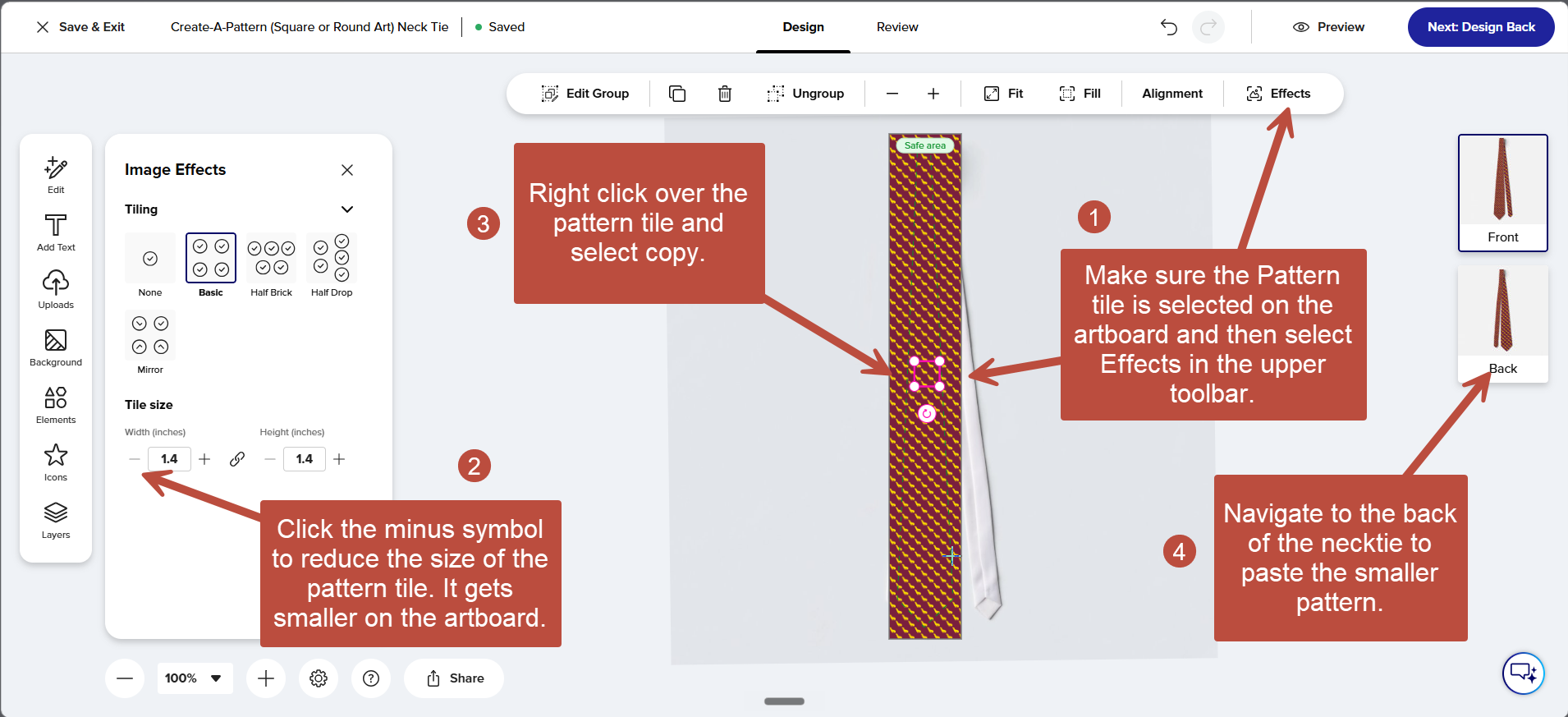
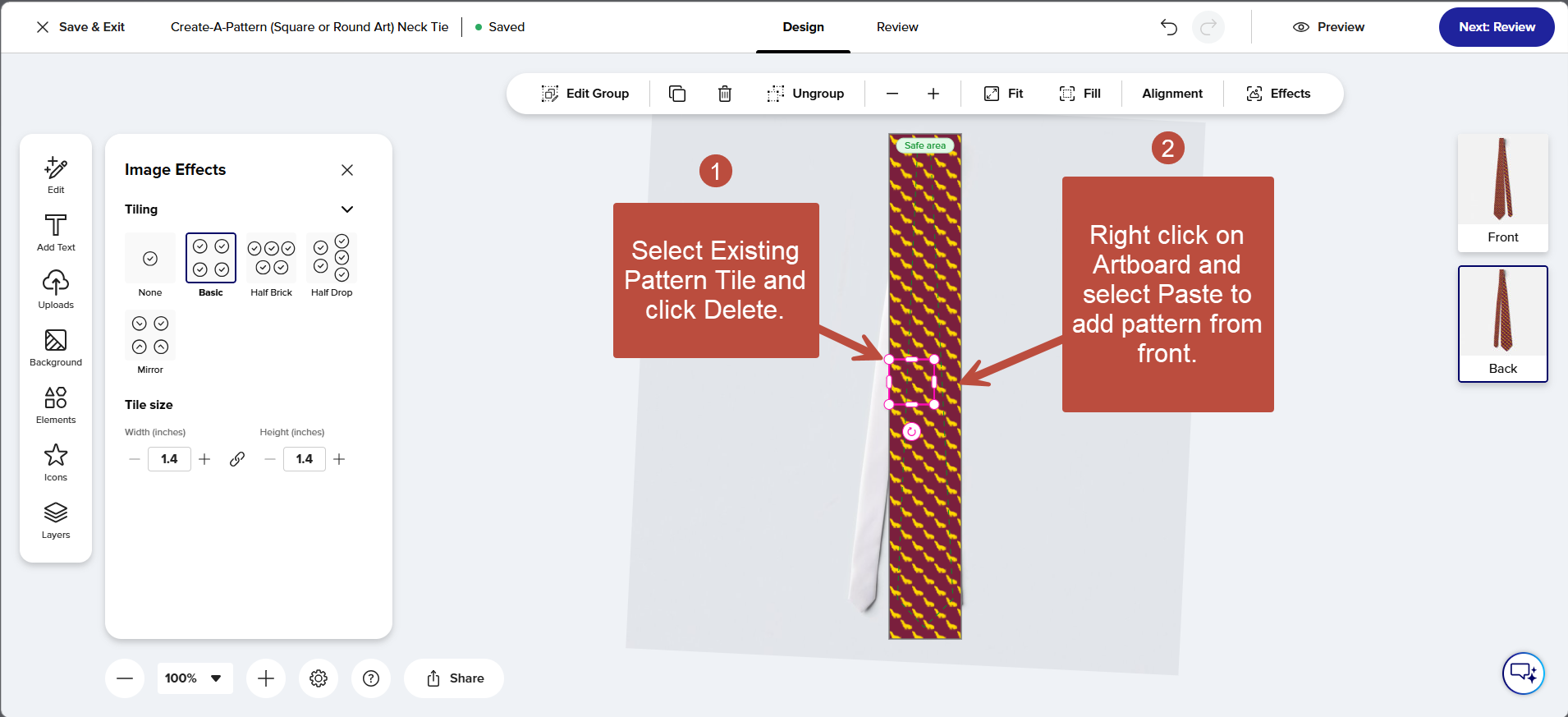
Screenshots show step-by-step instructions on how to reduce the size of your pattern. (click to enlarge)
If desired, here’s how to fine-tune the pattern size in Zazzle Designer:
- With the pattern tile selected on the artboard, click Effects in the upper toolbar.
- In the left Image Effects panel, reduce the tile size by entering a smaller number or clicking the minus symbol. (Making the pattern size larger is not recommended, but it's up to you.)
- Click Preview at the top of the screen to check your results.
- Copy the pattern onto the back of the tie: Right-click the selected tile on the artboard and select Copy.
- Navigate to the back of the tie by clicking the image icon on the right side of the screen, delete the existing pattern tile on the artboard (select it then click Delete), then paste the revised pattern onto the back (Right-click the artboard and select Paste.)
- Click the blue Review button at the top of the screen for a final check before placing your order.
The same Effects and Tiling tools, plus the full 10-step designer walkthrough, are covered in How to Use Zazzle’s New Designer Interface, which uses a steampunk necktie as its example.
Want a monogram alongside your pattern? Learn how in the same tutorial video. You can add one in the same designer session — a nice finishing touch on a child’s drawing, a pet portrait, or a hand-lettered signature tie.
A Gift That Exists Nowhere Else
Our flag necktie collection works because the flags reflect the heritage and culture of their owners. Our various professions neckties express the wearer's identity in a personal way. The same is true of our sports and pet-themed designs. While they are intensely personal, they don't hold a candle to a Create-A-Pattern necktie.
Create-A-Pattern ties are truly unique: Every tie made this way is one of one — there’s no second person walking around in the same pattern, because no one else has that drawing, that pet, that signature. For a birthday, a Father’s Day gift, or just a reason to make someone smile, it’s hard to beat a gift that could only ever be made for them.